Automation Platform, minus the platform team
AAP has the right model — projects, inventories, credentials, job templates, runs — wrapped in an amount of infrastructure that needs its own project plan. SLEP keeps the model and drops the rest.
No Kubernetes
A single container (or a venv) with SQLite by default. No execution environments, no operator, no automation mesh to stand up first.
The way Ansible already works
Direct SSH to the hosts, not receptors and a mesh. Jump hosts where you need them, and nothing to learn that Ansible has not already taught you.
Not Ansible only
Ansible, Terraform/OpenTofu and Salt run side by side in the same console, with one history and one set of credentials.
Author where you run
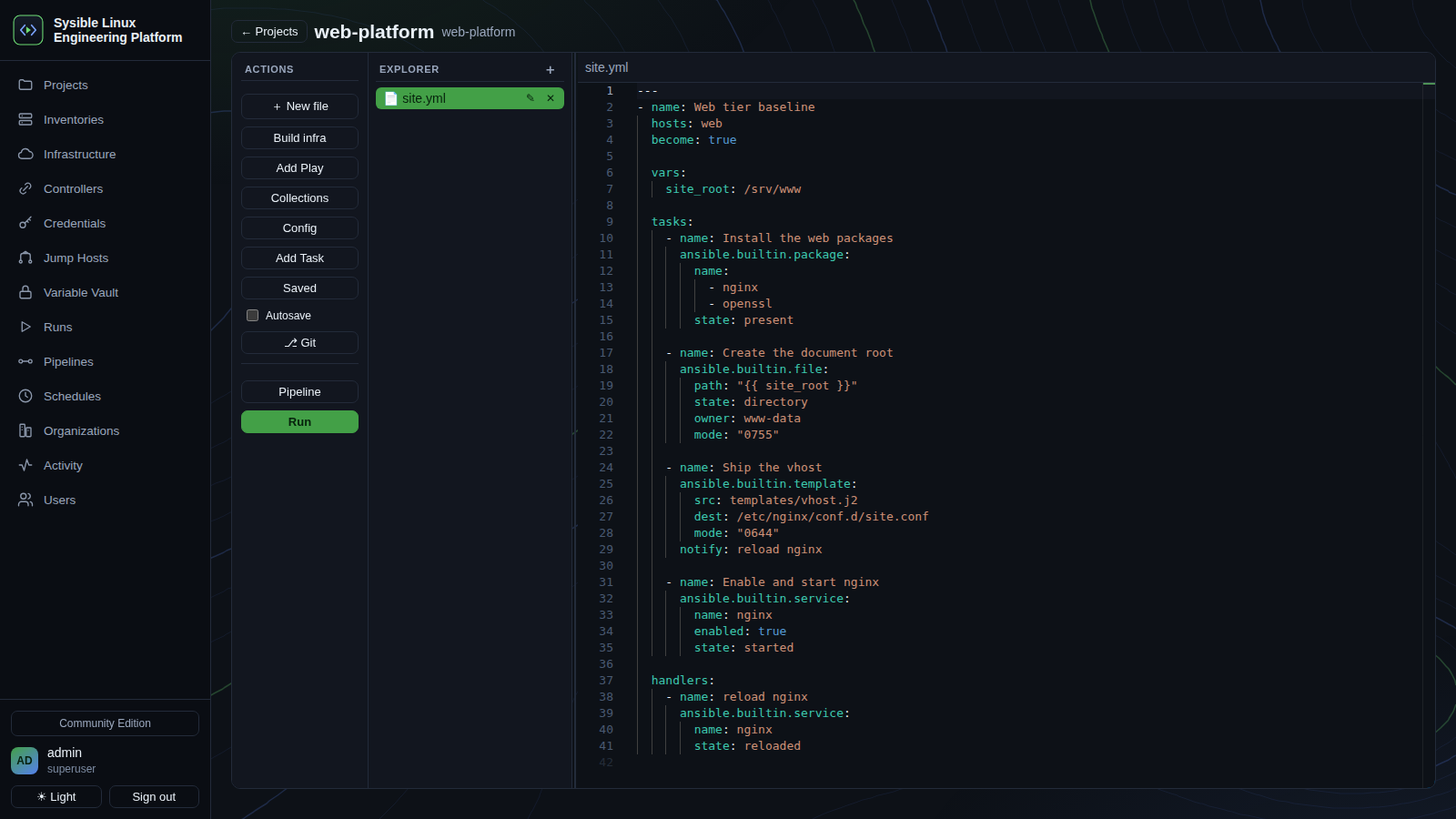
A Monaco editor with a file tree and YAML/HCL/Jinja syntax. Write the playbook and run it in the same window — SCM optional, not mandatory.
Self-hosted, one admin model
No licence tiers to navigate and no RBAC matrix to design before the first run. Organizations and users when you want them.
Your Controller inventory, imported
Pull the hosts you already manage in Sysible Controller straight into an automation inventory rather than keeping two lists in step by hand.
Projects, inventory, credentials, runs
A workspace per stack
Playbooks, Terraform configs or Salt states — authored in the browser IDE or synced from Git, whichever suits the team.
Monaco, in the console
File tree, syntax highlighting for YAML, HCL and Jinja, and a run panel beside the code. Start from a playbook, state or Terraform template.
Hosts and groups
Entered by hand or imported from a Sysible Controller, with jump hosts and per-inventory environments.
Never in the browser
SSH keys and passwords, cloud credentials and vault tokens are stored server-side and injected into runs — never surfaced back to the page.
Isolated, streamed, kept
ansible-playbook, terraform plan/apply and salt/salt-ssh each run in their own workdir, streaming live output into a full run history.
Chain and schedule
Sequence runs into pipelines and put them on a schedule, with an activity trail of what ran, when, and what it changed.
The same model, a fraction of the footprint
What it asks of you
Kubernetes plus execution environments plus an operator. An automation mesh with receptors. Ansible only. Playbooks authored elsewhere and synced in over SCM. Heavy RBAC and licensing.
What this asks of you
One container, or a venv, with SQLite by default. Direct SSH, the way Ansible already works. Ansible and Terraform and Salt. An in-browser IDE, with SCM optional. A simple admin model, self-hosted.
Community & Enterprise
Community Edition
Everything above: single container, SQLite, SSH-native, one admin model — all a team needs to author and run automation.
Enterprise Edition
Planned, mirroring the Controller's split: a PostgreSQL-exclusive datastore, teams and RBAC with SSO/SAML/OIDC, approvals, scheduled jobs and surveys, an audit trail, and distributed execution across runner nodes. Get in touch to talk about it.
Get SLEP CE
One container, SQLite by default. Ansible, Terraform and Salt bake into the image.
On Sysible Workstation
# Baked in — launch the installer and tick SLEP:
install-sysible slep
Or double-click Install Sysible Software on the desktop and tick SLEP.
Anywhere else
git clone https://github.com/sysiblesoftware/Sysible-Linux-Engineering-Platform
cd Sysible-Linux-Engineering-Platform
sudo ./deploy/install.sh
The console comes up on https://<host>:8810/. Behind the Operations Platform it is at /slep instead, with no second login.
Write it and run it in the same window
Ansible, Terraform and Salt from one self-hosted console — no Kubernetes, no mesh, no control repo required.